
Free on iPhone
A teleprompter that cuts your mistakes.
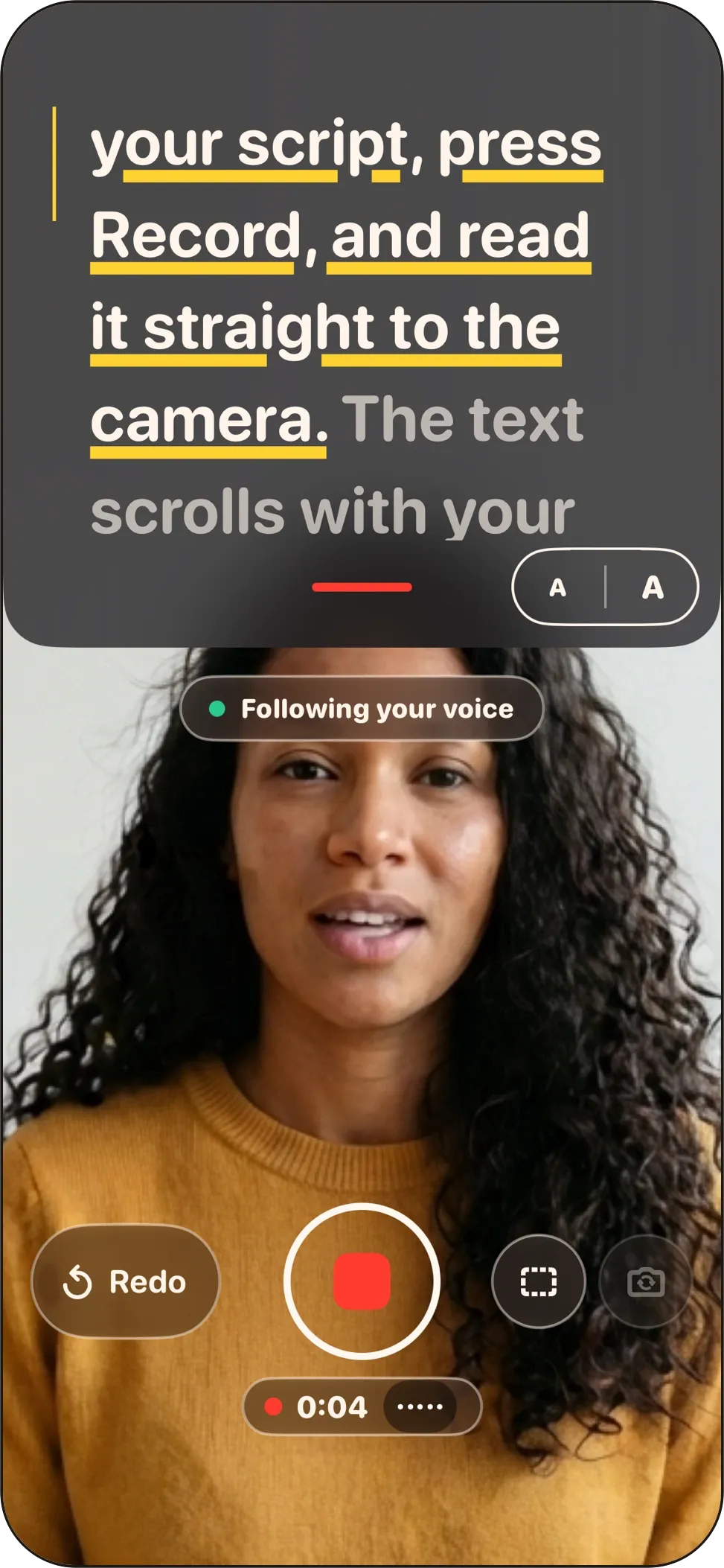
Your script follows your voice, right under the lens. Stumble? Tap Redo and say the line again. When you’re done, one tap of Clean Up cuts the false starts and long pauses.
No account · No subscription · Pro is €39.99, once
How it works
Three steps from script to post.
For social videos, course lessons, sales videos and presentations.
Write or paste your script
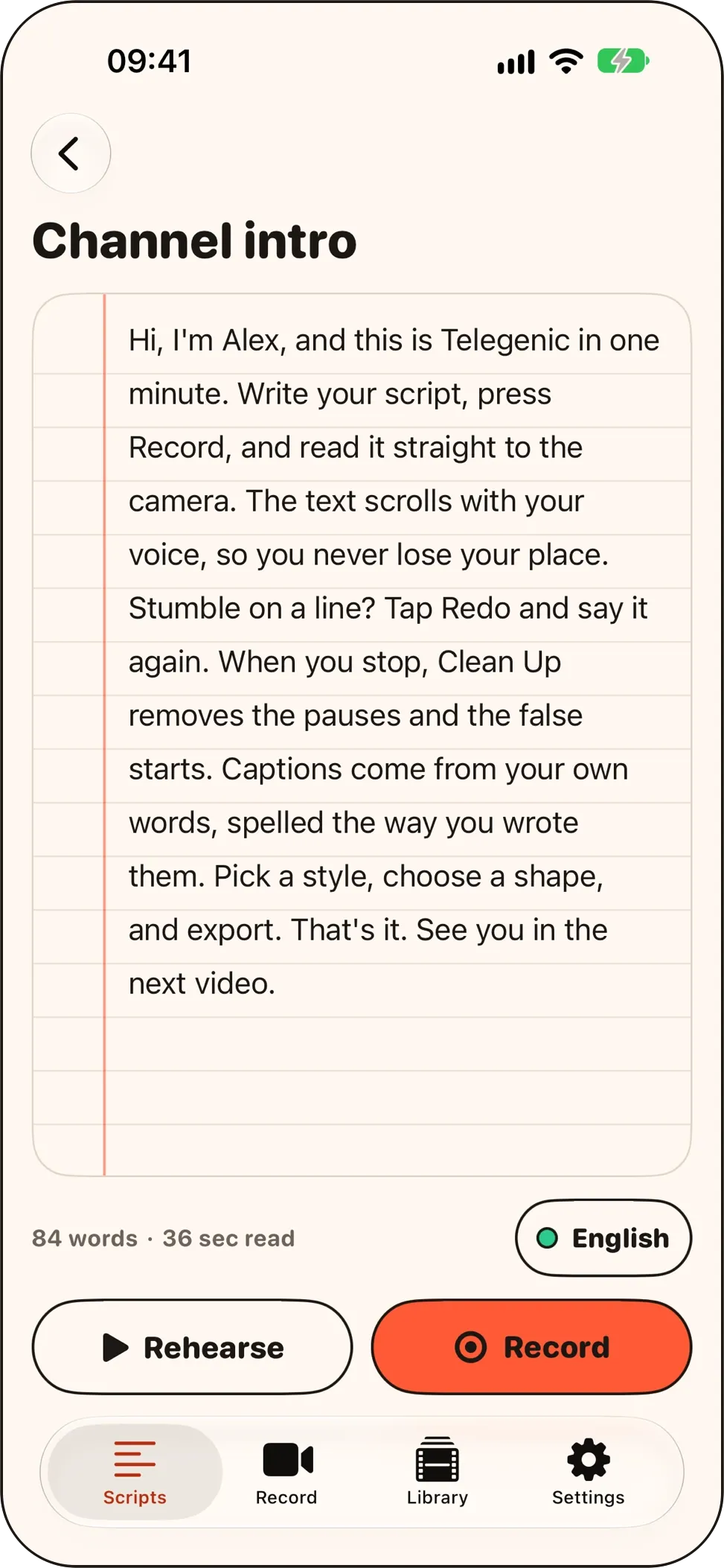
Type it, paste it, or import a text, RTF, HTML or PDF file.
Read it to the camera
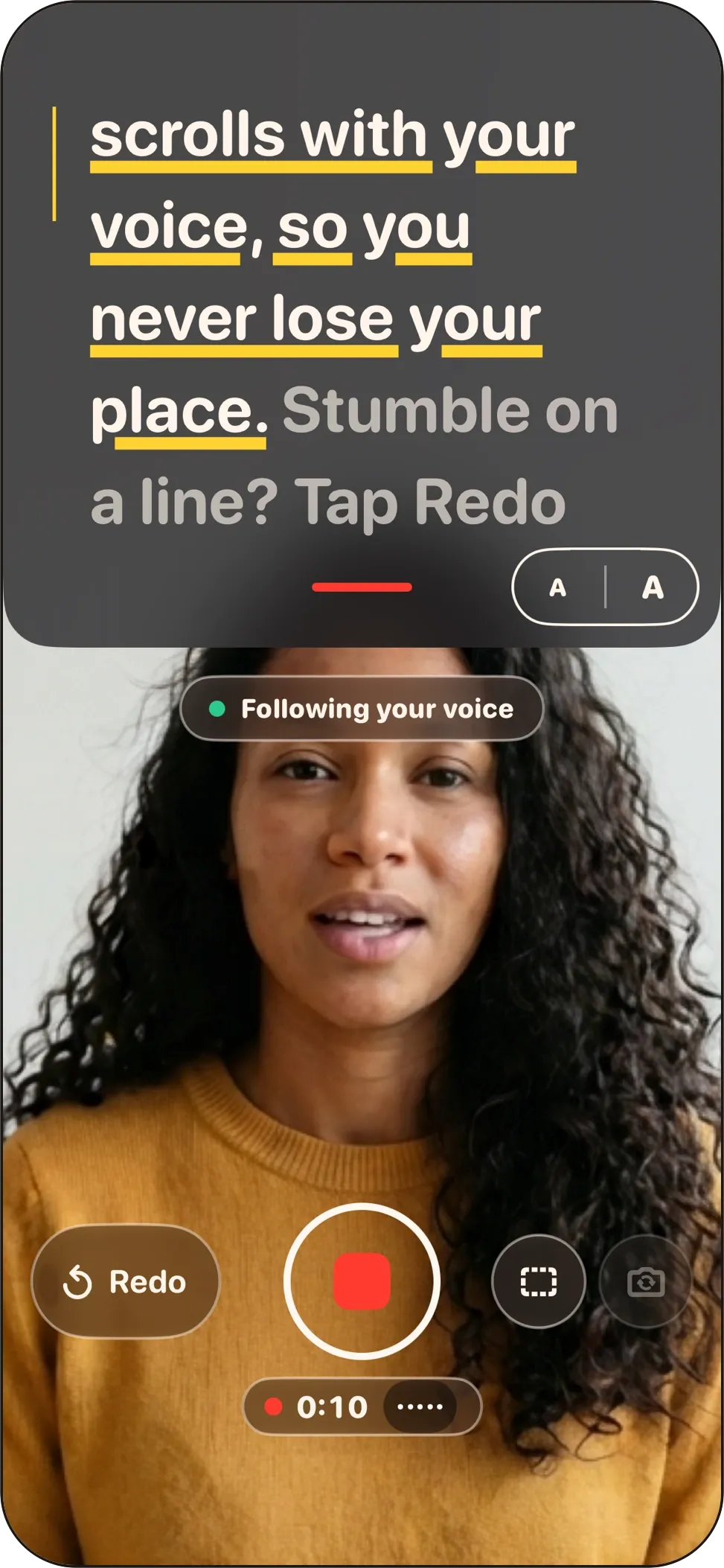
The script sits right under the lens and follows your voice. Stumble? Tap Redo and say the line again.
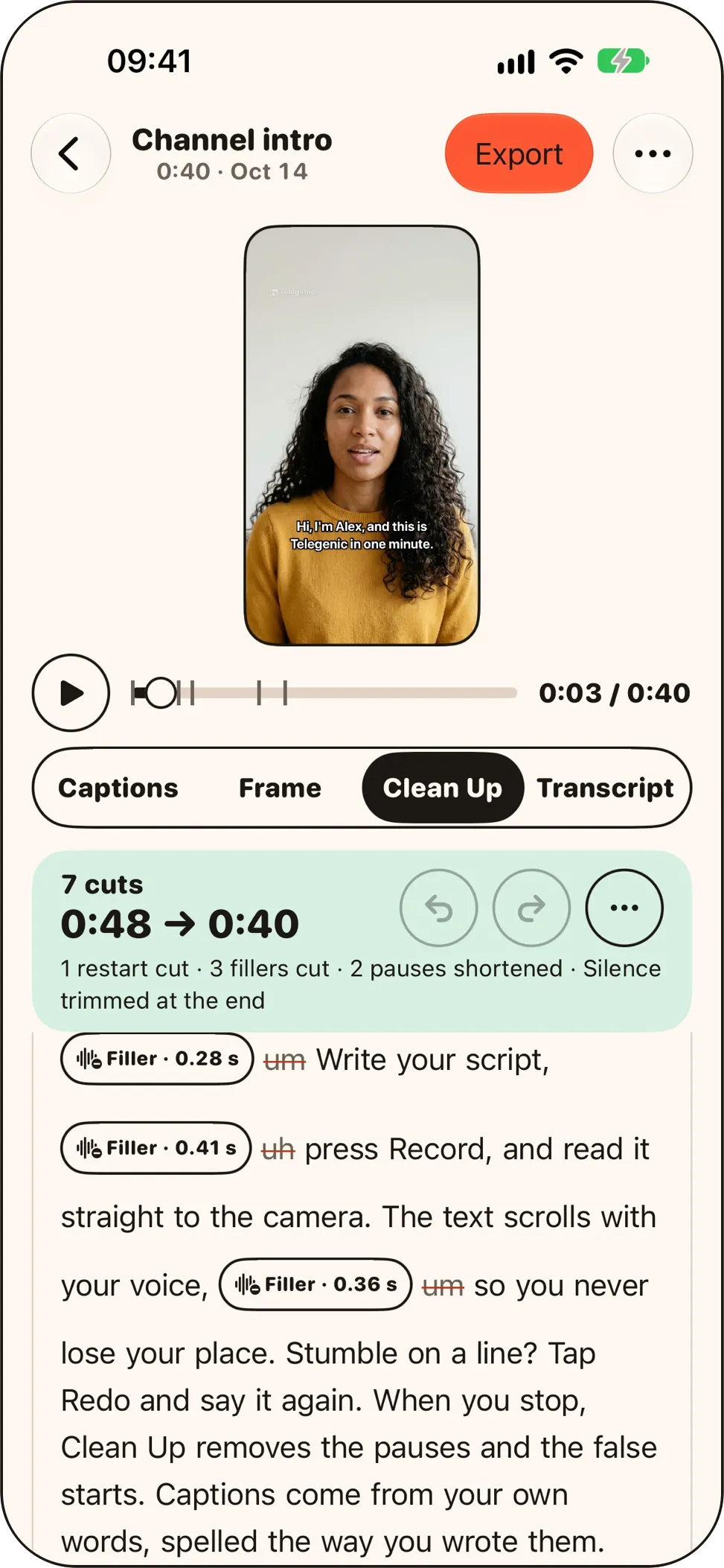
Tap Clean Up, then post
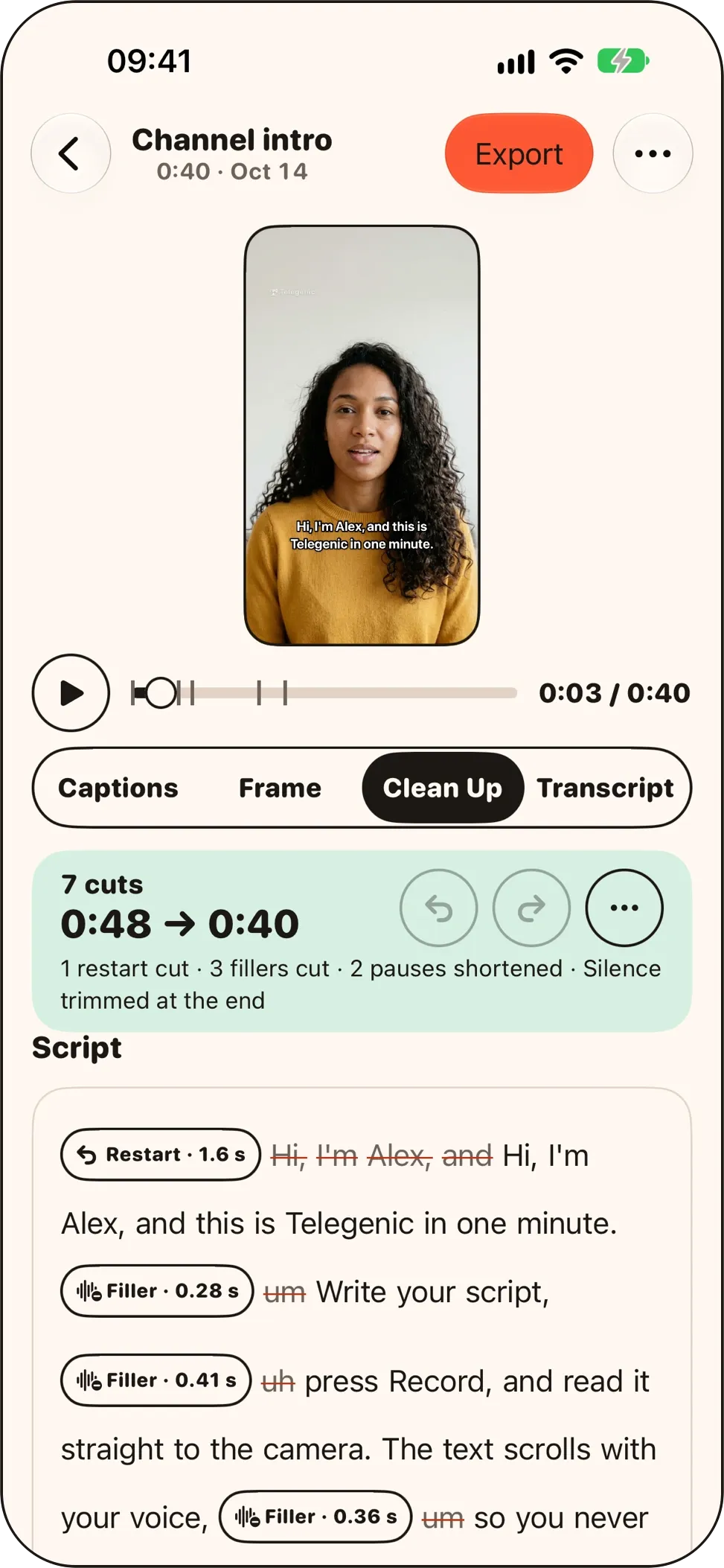
The false starts and long pauses come out. Add captions, fix any word, and export.
Clean Up
Stumble? Keep going.
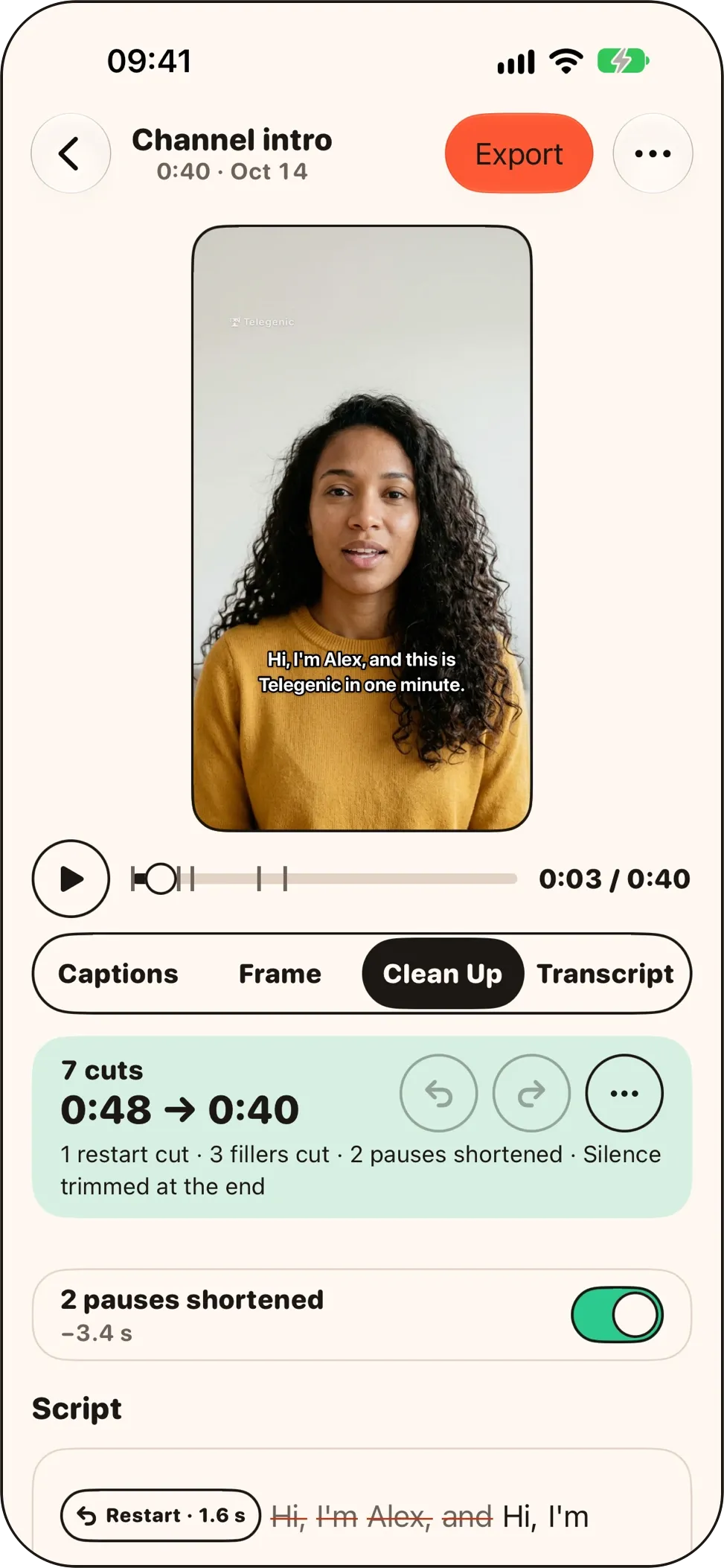
When you stop, tap Clean Up. Telegenic finds what to cut and marks every cut in your script. Standard suits most takes. Gentle cuts less, and Tight also cuts filler words and stutters.
3 cuts
0:13 → 0:05
1 restart cut · 1 aside cut · 1 pause shortened
Hi everyone. Restart · 1.6 s Today I’ll show you thr— Aside · 2.1 s Sorry, let me start that again. Pause · 4.2 s Today I’ll show you three ways to film yourself without a crew.
Lines you redo
Tap Redo mid-take and say the line again. Clean Up keeps the attempt you finished.
Sentences you restart
Start a sentence over without tapping anything. Telegenic matches your speech to the script and drops the false start. When it isn’t sure, it marks the spot for you to check.
Filler words
On Tight, “um”, “uh” and the like come out too, in English and Russian.
Asides
“Sorry, let me redo that” next to a restart or at the end of a take is cut, in English and Russian. You can switch this off.
Pauses and silence
Long pauses are shortened, and dead air at the start and end is trimmed, in every language.
Every cut can come back
Cuts show in your script or in a list. Tap one to restore it. Your original recording never changes.
Restarted lines are found in all 33 languages when the take has a script. Asides and filler words are cut in English and Russian. Pauses, the start and end, and Redo attempts are cleaned in every language.
Voice-follow
The script follows your voice.
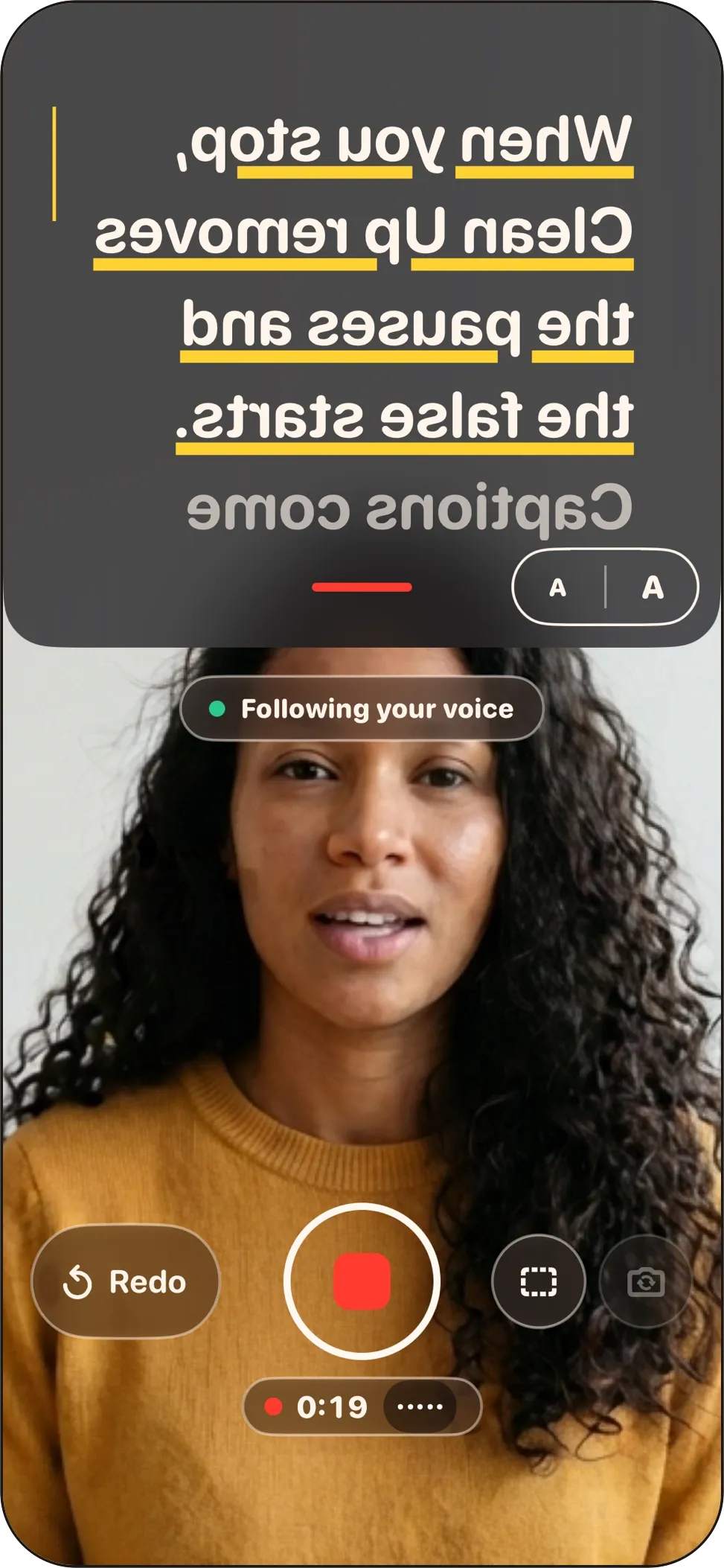
Your script sits in a band right under the camera, so your eyes stay near the lens while you read.
Follows your voice
Scrolls as you read, holds while you pause, and moves on if you skip a line.
Or keeps a steady pace
Set it anywhere from 60 to 220 words per minute.
Mirror mode for any rig
Flip the text for teleprompter glass, and start with a 3, 5 or 10-second countdown.
Set up the way you read
Text size, line spacing, width and 6 fonts. Rehearse full screen before you record.
Captions
Captions for what you record.
Made on your iPhone from what you said. With a script, captions use your script’s words and punctuation.
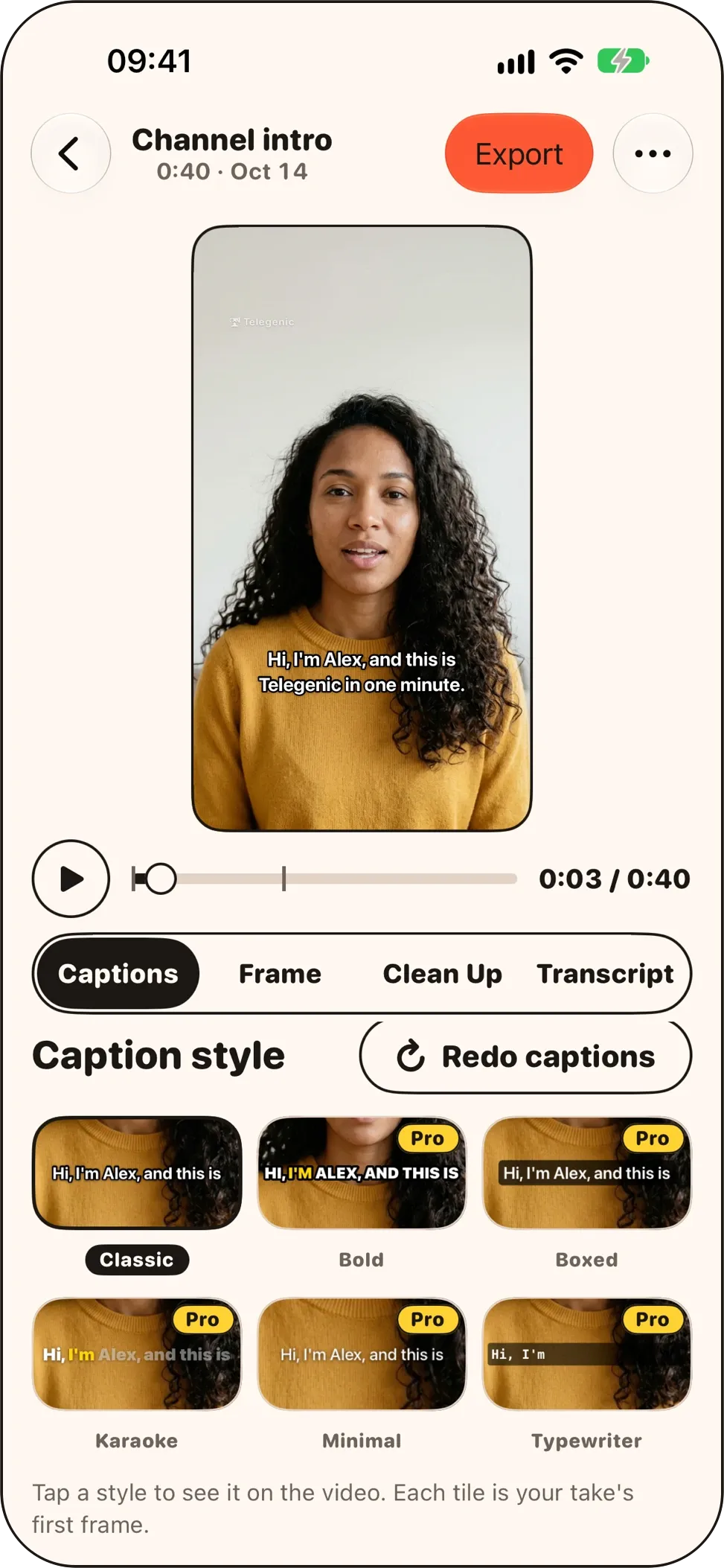
Classic is free
Bold, Boxed, Karaoke, Minimal and Typewriter come with Pro.
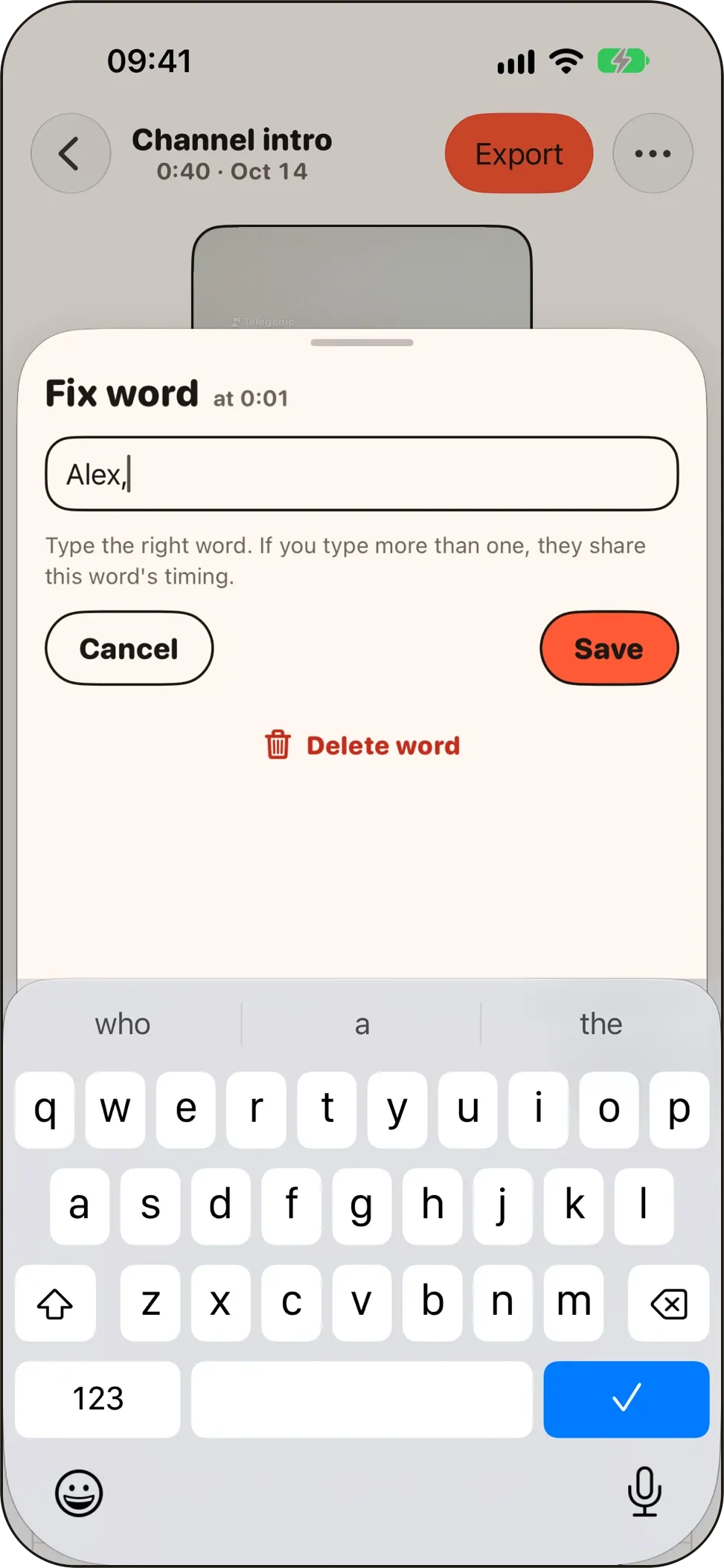
Fix any word
Correct any word in the transcript before you export.
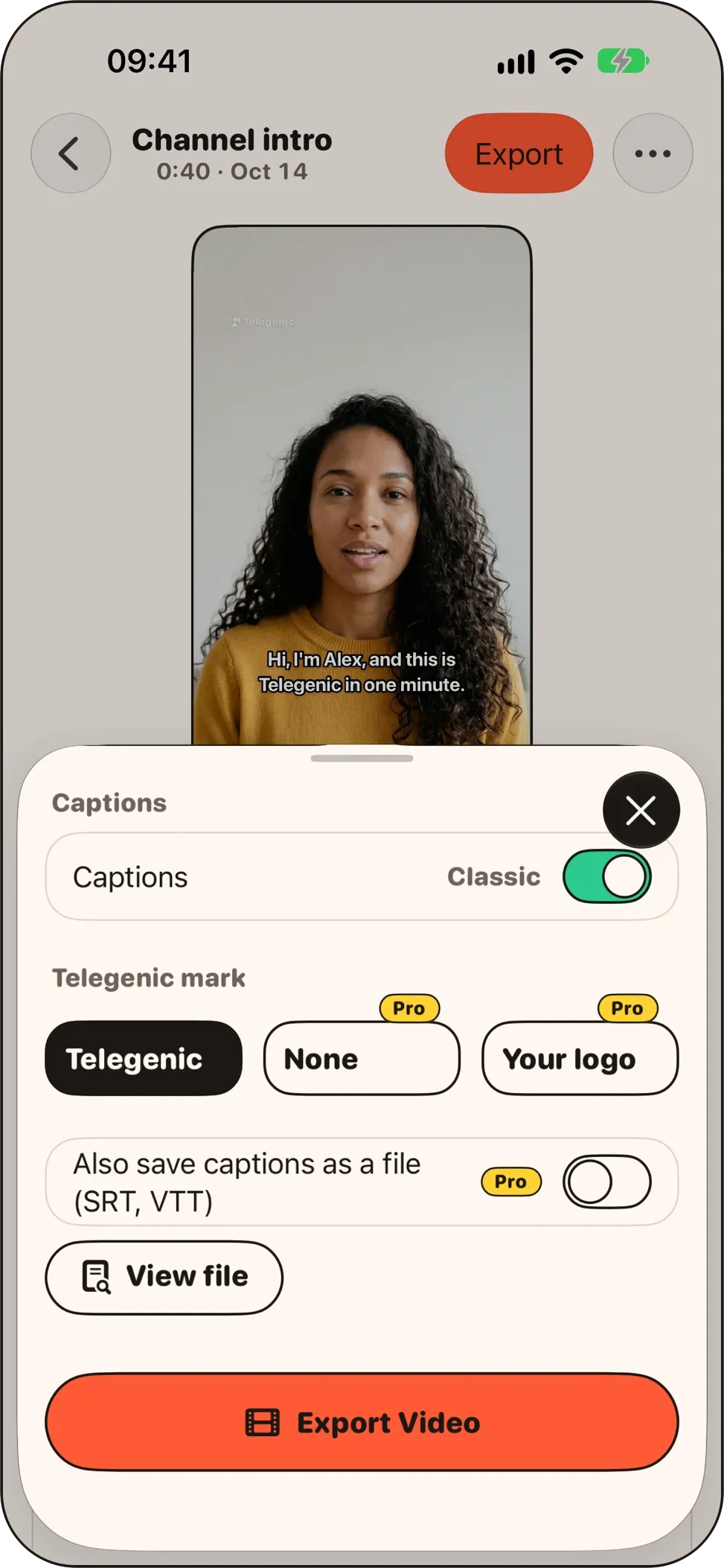
Burned in, ready to post
Burn captions into the video, or save SRT and WebVTT files with Pro.
Languages
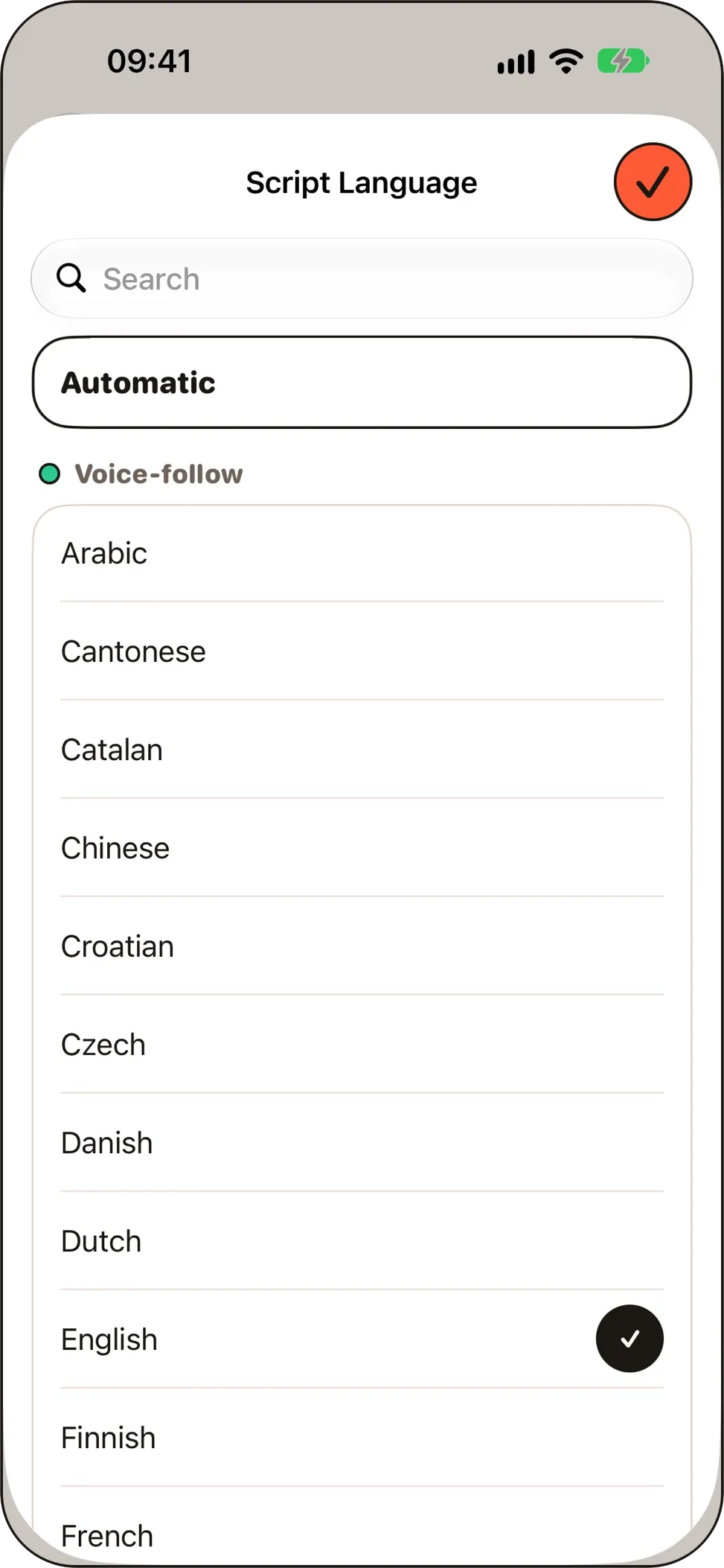
Voice-follow and captions in 33 languages.
The most accurate are marked *. Telegenic’s own screens are in English.
- Arabic
- Cantonese
- Catalan
- Chinese*
- Croatian
- Czech
- Danish
- Dutch
- English*
- Finnish
- French*
- German*
- Greek
- Hebrew
- Hindi
- Hungarian
- Indonesian
- Italian*
- Japanese*
- Korean*
- Malay
- Norwegian
- Polish
- Portuguese*
- Romanian
- Russian
- Slovak
- Spanish*
- Swedish
- Thai
- Turkish
- Ukrainian
- Vietnamese
The first time you use a language, your iPhone downloads its speech model. Availability can vary by iPhone model.
Recording and export
Shoot it, frame it, share it.
- Front or back camera, 1080p or 4K at 30 or 60 fps, where your iPhone supports it.
- Built-in, wired, USB or Bluetooth microphones, including AirPods.
- Grid and safe-zone guides for TikTok, Instagram Reels and YouTube Shorts.
- No time limit on takes. If the app stops mid-take, the take is recovered.
- Reframe with pan and zoom. Export 9:16 for free, or 4:5, 1:1 and 16:9 with Pro.
- Save to Photos or share straight from the app.
Nothing leaves your iPhone unless you share it.
Recording, speech recognition, Clean Up and captions all run on your iPhone. Telegenic has no account, no ads and no analytics. Read the privacy policy
Pricing
Free to use. Pay once for more.
Free
€0
- Unlimited takes, no account
- Voice-follow prompter and Redo
- Clean Up at every strength
- Classic captions you can edit
- 9:16 export with captions burned in
- All 33 languages
- A small Telegenic mark in the corner of exports
Telegenic Pro
€39.99 once
- No mark on any export, including takes you recorded before upgrading
- Bold, Boxed, Karaoke, Minimal and Typewriter captions
- 4:5, 1:1 and 16:9 export
- 4K export
- SRT and WebVTT caption files
- Your own logo on exports
Pro is a one-time in-app purchase: no subscription, no trial to cancel. Prices are in euros; the App Store shows yours in your currency.
Questions
Good to know.
Is Telegenic really free?
Yes. Recording, voice-follow, Redo, Clean Up, Classic captions and 9:16 export are free, with no limit on takes and no account. Free exports carry a small Telegenic mark in the corner.
Is Pro a subscription?
No. Pro is a one-time purchase that never renews. It’s €39.99 in euro countries, and the App Store shows the price in your currency. On a new iPhone, sign in with the same Apple Account and tap Restore Purchases.
Can I clean up or caption videos I’ve already recorded?
No. Clean Up and captions work on takes you record in Telegenic.
Does Clean Up work in my language?
Pauses, the start and end, and Redo attempts are cleaned in every language. With a script, restarted lines are found in all 33 voice-follow languages. Asides and filler words are cut in English and Russian.
Does it work with a teleprompter rig?
Yes. Turn on mirror mode so the text reads correctly in the glass.
Where are my scripts and videos stored?
On your iPhone. Telegenic doesn’t upload them. Deleting the app deletes its scripts and takes, so save the videos you want to keep to Photos first.
What do I need?
An iPhone. Telegenic records in portrait, and its interface is in English.
Something else? See Telegenic help or write to support@trajecta.ee.

Your next video, in one take.
Stumble, tap Redo, keep going. One tap of Clean Up does the cutting.
Free on iPhone · No account · No subscription